
 NetSamuraiNetwork scanner for iPhone & iPad
Who's on your Wi-Fi?
Find the weak spots.
NetSamurai finds every device on your home network, checks them for risky services and known exploited flaws, and tells you how to fix what it finds, in plain English.
Free · No account · No analytics · iOS 17+

A network scanner that tells you what matters
NetSamurai is a network scanner and Wi-Fi security checker for iPhone and iPad. It lists the devices on the Wi-Fi network you're connected to, points out the ones you don't recognize, and checks devices for weaknesses such as Telnet, SMBv1, unencrypted password pages and software with known vulnerabilities.
Most scanners stop at a list of IP addresses. NetSamurai goes on to say which devices are a problem, why, how sure it is, and what to change in the device or router settings. Then it checks again so you can see the fix worked.
| Platform | iPhone and iPad, iOS 17.0 or later |
|---|---|
| Price | Free; optional one-time Pro purchase, no subscription |
| Account | None needed |
| Your data | Stored on your device; no analytics, no ads |
| Security checks | Risky services such as Telnet, SMBv1 and unencrypted logins, outdated encryption, and known vulnerabilities including CISA's exploited list |
| How it checks | Read-only: it never logs in or exploits anything |
| Made by | Stefan Dasic, independent developer |
From "what is that?" to "fixed"
Spot the unfamiliar device, see which ones have real weaknesses, and follow the fix.
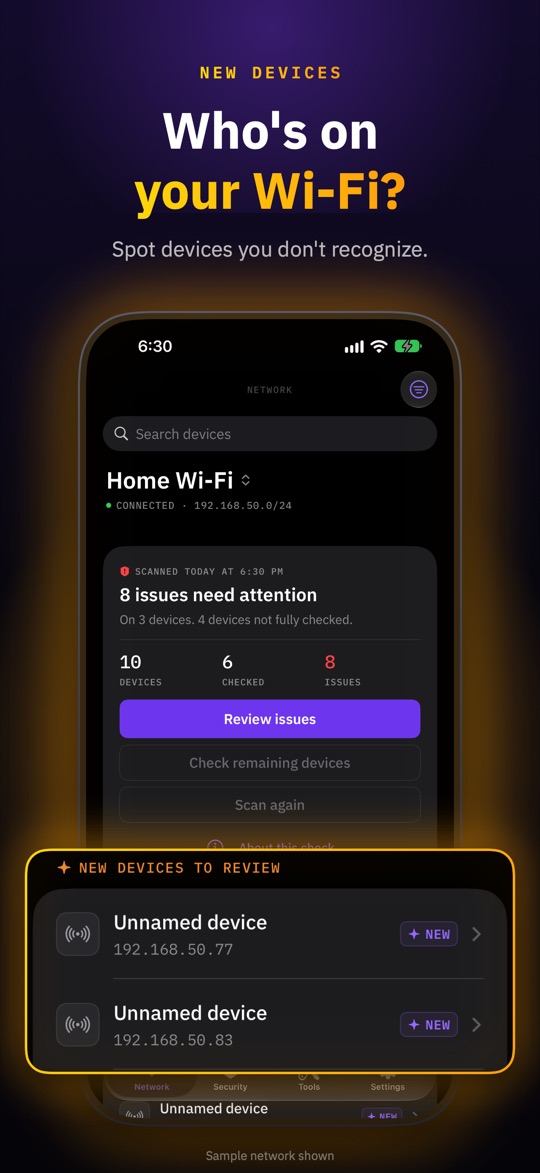
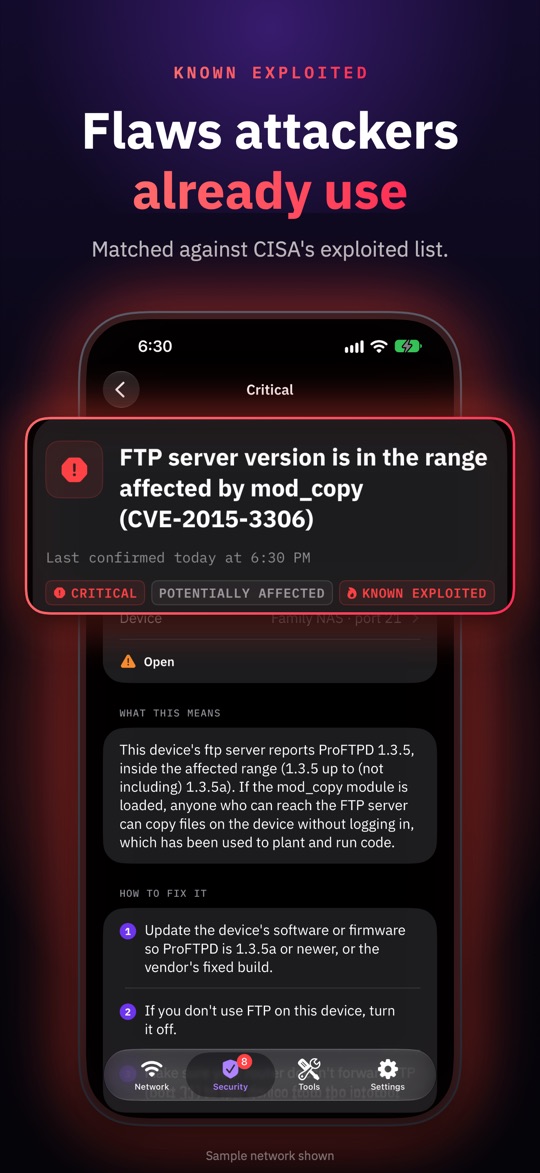
Spot the device that doesn't belong.
Mark the devices you know as yours. Whatever is left, and anything that shows up later, gets a closer look.
Four steps, no networking degree
-
01 · Scan
See what's connected
Tap Scan. NetSamurai lists every device that answers on your Wi-Fi, with names and maker clues.
-
02 · Check
Find the weak spots
A Quick check reads what a device's common ports answer and flags risky services and known flaws.
-
03 · Investigate
Track down the unknown
Maker, first sighting and practical steps help you match a strange device to something in your home.
-
04 · Fix
Fix it, then recheck
Every finding says what was seen, why it matters and what to change. Check again to confirm.
Built to explain, not to alarm
Every result comes with the evidence behind it and the limits of what it proves.
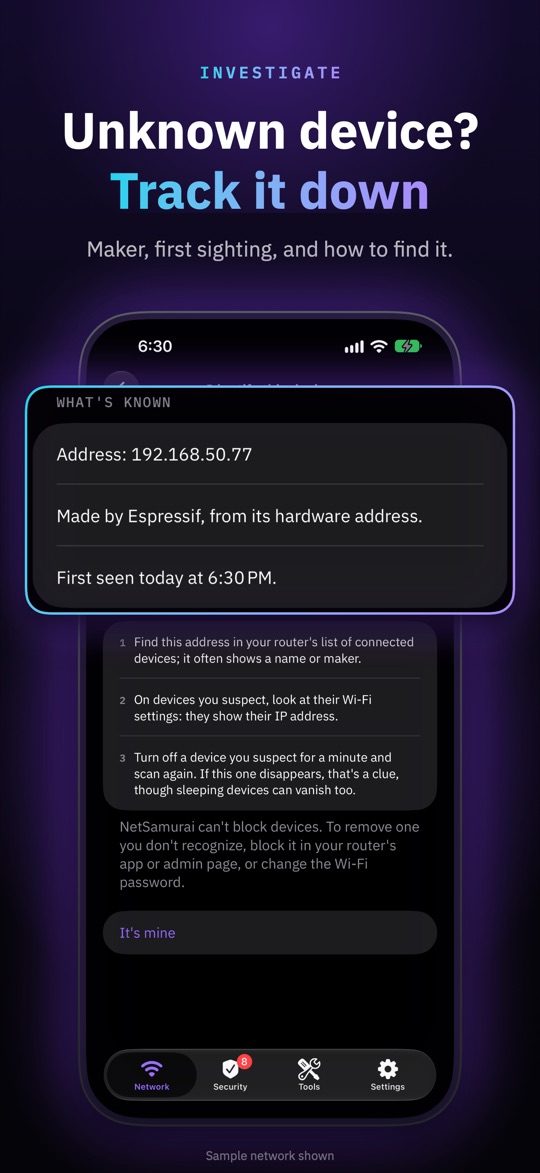
Unknown device? Track it down.
An "Unnamed device" is usually a smart plug, a TV or a phone with a private address. NetSamurai gathers the clues to tell which.
- Maker clues and the names a device announces on the network
- First seen and last seen, so you can match it to when something was set up
- Practical steps to find it in your router's device list
- Mark as yours so new-device alerts leave it out
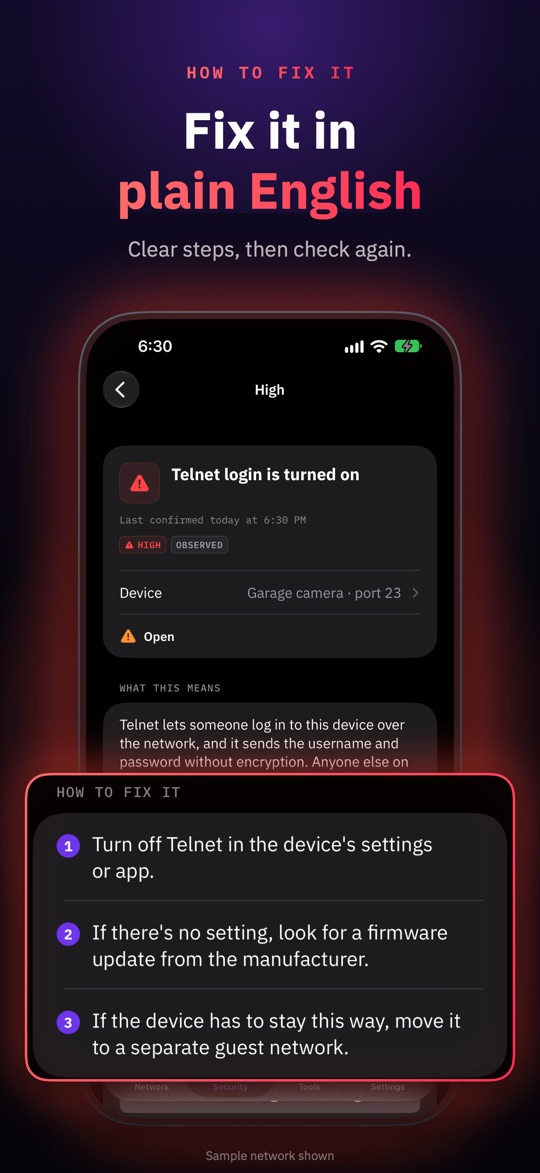
Plain English, then proof it worked
Findings read like advice from a friend who knows networks: what was observed, why it matters, what is still unknown, and exactly what to change.
- Worst first: critical and known exploited issues lead the list
- Honest confidence: "potentially affected" when a version can't confirm a patch
- Recheck a device after changing its settings to see the finding resolve
Catch what changed since last time
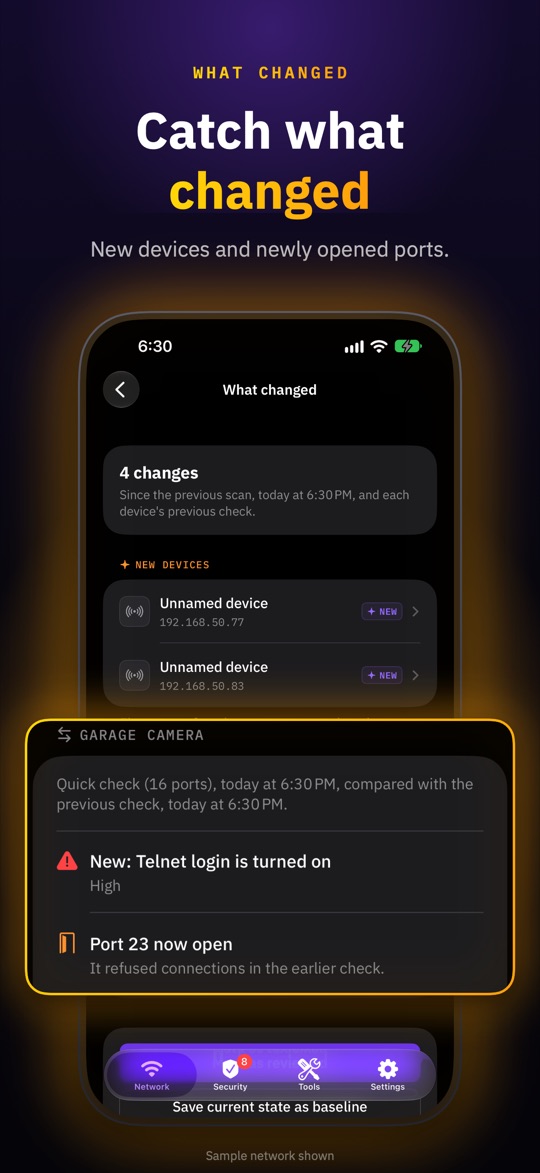
Compare any scan with the one before. New devices, returning ones, ports that just opened and findings that appeared or were fixed are called out on their own.
- New-device alerts, optional, for devices you haven't marked as yours
- Shortcuts action to check for new devices when you get home
- Baselines (Pro) to compare against a state you know is good
Free to find out. Pro to go deeper.
Pro is a one-time purchase. No subscription, and nothing you rely on to stay safe is behind it.
Free
No ads · no time limit
- Scan your Wi-Fi and name your devices
- Quick check any device (16 common ports)
- Every finding with its explanation and fix
- Rechecks and what-changed comparisons
- New-device alerts and the Shortcuts action
- Troubleshooter, ping, port check, DNS lookup
- Vulnerability-data updates (CISA KEV, EPSS)
Pro
One-time purchase · price shown in the App Store
- Check devices in batches
- Extended checks (about 80 ports) and full checks (all 65,535)
- Custom ports and saved port profiles
- Choose which addresses to scan on large networks
- Browse other saved networks
- Saved baselines and longer history
- Owner and room tags
- PDF, CSV and JSON reports
Comparing network scanners?
See how NetSamurai compares with Fing, iNet, Ubiquiti WiFiman and Network Analyzer on security checks, known vulnerabilities and privacy, checked against their App Store listings.
A map of your network belongs to you
A list of your devices and their weak spots is sensitive. NetSamurai keeps it on your iPhone.
No account
No sign-up, no email, no password to leak.
Results stay on device
Networks, devices and checks are stored on your iPhone or iPad. You choose what to share.
No ads, no analytics
No tracking SDKs and nothing about your network sent to the developer.
Never logs in
Checks only read what devices answer. No passwords tried, nothing exploited.
Every outside connection the app can make is listed in the privacy policy.
What NetSamurai doesn't do
Security apps love to overpromise. Here's where NetSamurai stops, so you know how far to trust it.
It doesn't catch hackers. It shows unfamiliar devices and weaknesses; it can't tell who is behind a device or why.
It doesn't watch traffic. No packet sniffing, malware detection or intrusion alarms.
It doesn't block devices. It tells you where in your router to remove one.
"No issues" isn't a guarantee. It means none within the checks performed. Sleeping or silent devices can be missed.
What is NetSamurai?
NetSamurai is a network scanner and Wi-Fi security checker for iPhone and iPad, made by independent developer Stefan Dasic. It finds the devices on the Wi-Fi network you're connected to, helps you work out which ones you don't recognize, checks devices for risky services and known vulnerabilities, and explains each finding with steps to fix it. It is listed on the App Store as NetSamurai: Network Scanner.
How can I see who is on my Wi-Fi?
Connect your iPhone or iPad to the Wi-Fi network, open NetSamurai, allow Local Network access, and tap Scan. NetSamurai lists every device that answers, with the names and maker clues it can find. Mark the devices you recognize as yours; anything left over, and anything new since the last scan, is highlighted for you to investigate.
Can NetSamurai find vulnerable devices on my network?
It can find the weaknesses it has checks for. A Quick check reads what a device's common ports answer and flags risky services such as Telnet and SMBv1. It also matches software versions and device models against reviewed CVEs and CISA's Known Exploited Vulnerabilities catalog. A version or model match means potentially affected, not confirmed, and no issues found means none within the checks performed.
Is NetSamurai free?
Yes. Scanning, individual Quick checks, every finding with its explanation and fix, rechecks, new-device alerts, the network tools and vulnerability-data updates are free, with no ads. NetSamurai Pro is an optional one-time purchase, with no subscription, that adds batch checks, extended, full and custom port checks, scan-range selection, other saved networks, baselines, longer history, tags and PDF, CSV and JSON reports.
Does NetSamurai need an account or collect my data?
No account is needed and there are no analytics or advertising trackers. Your saved networks, devices, checks and history are stored on your iPhone or iPad and included in its normal backups. Nothing about your network is sent to the developer. A few optional features contact public services, such as CISA and FIRST for vulnerability-data updates; the privacy policy lists each one.
Can NetSamurai tell me if I've been hacked?
No. NetSamurai shows which devices are on your network and which of them have weaknesses it can check for. It does not inspect network traffic, detect malware, identify people or prove that a device has been compromised. An unfamiliar device deserves a closer look, but new does not automatically mean malicious.
Which devices does NetSamurai work on?
iPhone and iPad with iOS or iPadOS 17.0 or later. Scans need a connection to an IPv4 Wi-Fi network and Local Network permission. Scan only networks you own or have permission to assess.
Learn to read your network
Practical guides that work with or without the app.
Hi, I'm Stefan.
I build NetSamurai on my own, with no investors and no ads. I wanted a scanner that answers the question people actually have, "is anything on my network a problem?", without scaring them or selling their data. Every Pro purchase pays for the next set of checks.
— Stefan
support@netsamuraiapp.com
Know what's on your network.
Free on iPhone and iPad. Nothing to sign up for.